
Infrastructure Setup for Business – Server, Security, Domain, and Services (Hostinger and more)
Great infrastructure is what makes automations and business systems reliable. We set up the server, access, backups, and the foundations needed to add services later without pain.
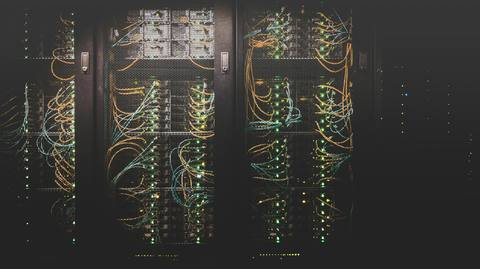
Infrastructure Setup for Business
Whether you want automation, an information system, or AI tools, everything ultimately depends on a stable foundation. Infrastructure is not “just a server.” It’s a practical combination of security choices, backups, access control, domain management, monitoring, and a clean path to expand later without breaking what already works.
In many projects we set up a customer-owned VPS (often on /en/glossary/hostinger/ because of price-to-performance), then prepare it to run services like /en/services/n8n-automation/, /en/services/erpnext-plane-implementation/, and /en/services/central-ai-system-openwebui/.
Why infrastructure matters
Even the best system will disappoint if it lacks:
- proper backups
- clear permissions and access control
- update and maintenance routines
- monitoring and alerting
Infrastructure reduces operational risk and makes the system dependable—so your team can focus on work, not firefighting.
What our infrastructure setup includes
1) Hosting selection and architecture planning
We choose the right hosting model (typically a VPS) and define how services will run in a maintainable way. The goal is not a quick “lift and shift,” but a clean approach to run multiple services safely and predictably.
2) Server provisioning and access
We configure users, SSH keys, and baseline permission policies. This prevents the common “everyone has root” situation and lowers risk.
3) Practical security layer
Without turning this into a full security program, we ensure:
- correct HTTPS for domains
- restricted access to admin panels
- basic firewall rules
- sensible service separation
It’s security that’s realistic for small-to-mid businesses.
4) Backups and recovery
We set up backups for files, databases, and configuration. More important than backups is recovery: if something breaks, you need a clear restoration path and predictable downtime.
5) Monitoring, logs, and alerts
When running automations (e.g., /en/glossary/n8n/) or business systems (ERPNext/Plane), silent failures are costly. We ensure logging is accessible and provide basic alerting so issues are visible early.
Who it’s for
- teams moving from ad-hoc hosting to a managed VPS approach
- businesses deploying automation and needing stability
- organizations planning to grow and operate at /en/glossary/scale/ without chaos
How infrastructure connects to other services
Infrastructure enables the rest seeing reliable outcomes:
- automation and integrations: /en/services/n8n-automation/
- ERP/project management systems: /en/services/erpnext-plane-implementation/
- a central AI workspace: /en/services/central-ai-system-openwebui/
- chatbots + channel integrations: /en/services/customer-service-chatbots/
FAQ
Do we have to use Hostinger?
No. We can work with any reliable VPS provider. Hostinger is often a good fit on cost and convenience, but the right choice depends on requirements (budget, performance, compliance).
How long does it take?
Typically about a week, depending on domain complexity and the number of services you want to run.
Do you provide ongoing maintenance?
If you want. Some customers prefer ongoing operations (updates, monitoring, improvements). Others want a clean handoff with documentation.
If you want reliable automation and systems, start with infrastructure.